
Next is running vCenter Certificate Manager to replace the certificates. Log into vCenter Appliance using ssh and run the following command and select option 2 to replace VMCA root certificate with custom signing certificate and replace all certificates.
/usr/lib/vmware-vmca/bin/certificate-manager
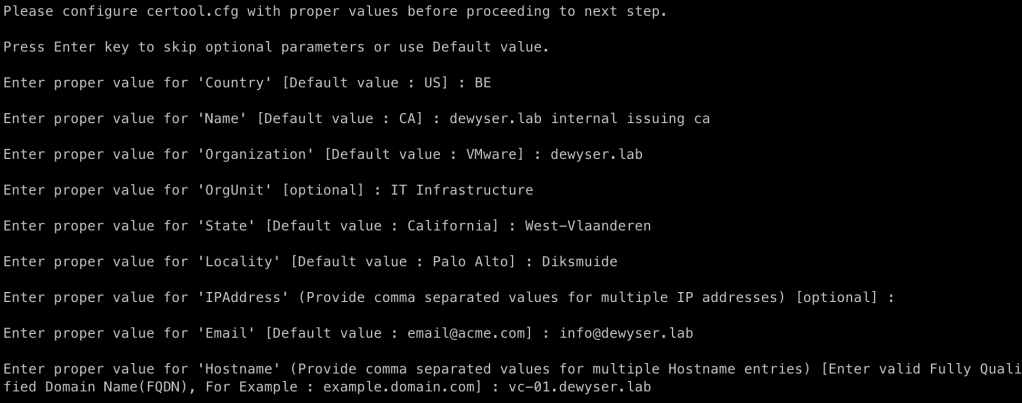
Select Yes to generate all certificates using configuration file. Supply credentials and input values:
Use option 2 to import custom certificate(s) and key(s). Provide the file location of the two files:

Continue the operation using the option Y and wait for completion:


 dewyser.net